
Desktop Utility for Windows

Clean Up Your Computer,
Effortlessly

Organize files, rename in bulk, delete safely, uninstall cleanly, and analyze disk usage — all from one focused application. Stop managing files the hard way.

Free · No account required · Windows 10 & 11 · 10.7 MB

Smart File Organizer
Smart File Organizer main interface

Everything You Need. Nothing You Don't.

Six focused tools for the file management tasks people actually deal with — in a single, clean interface.

Organize Files

Scan any folder, group files by type or naming pattern, preview every move, and organize in one click.

Rename in Bulk

Fix messy file names across dozens of files at once with structured patterns, prefixes, and numbering.

Delete Safely

Remove unnecessary files with full visibility. Preview before deletion, detect duplicates, never lose what matters.

Uninstall Apps

Go beyond the default uninstaller. Remove applications and clean up leftover files, cache, and remnants.

Disk Analyzer

See exactly what is consuming your storage. Identify large files and bloated folders at a glance.

All in One Place

No need for five different tools. Every file management task lives in a single window with a consistent experience.

See It in Action

A clean interface designed for clarity. Every action is visible, every change is previewable.

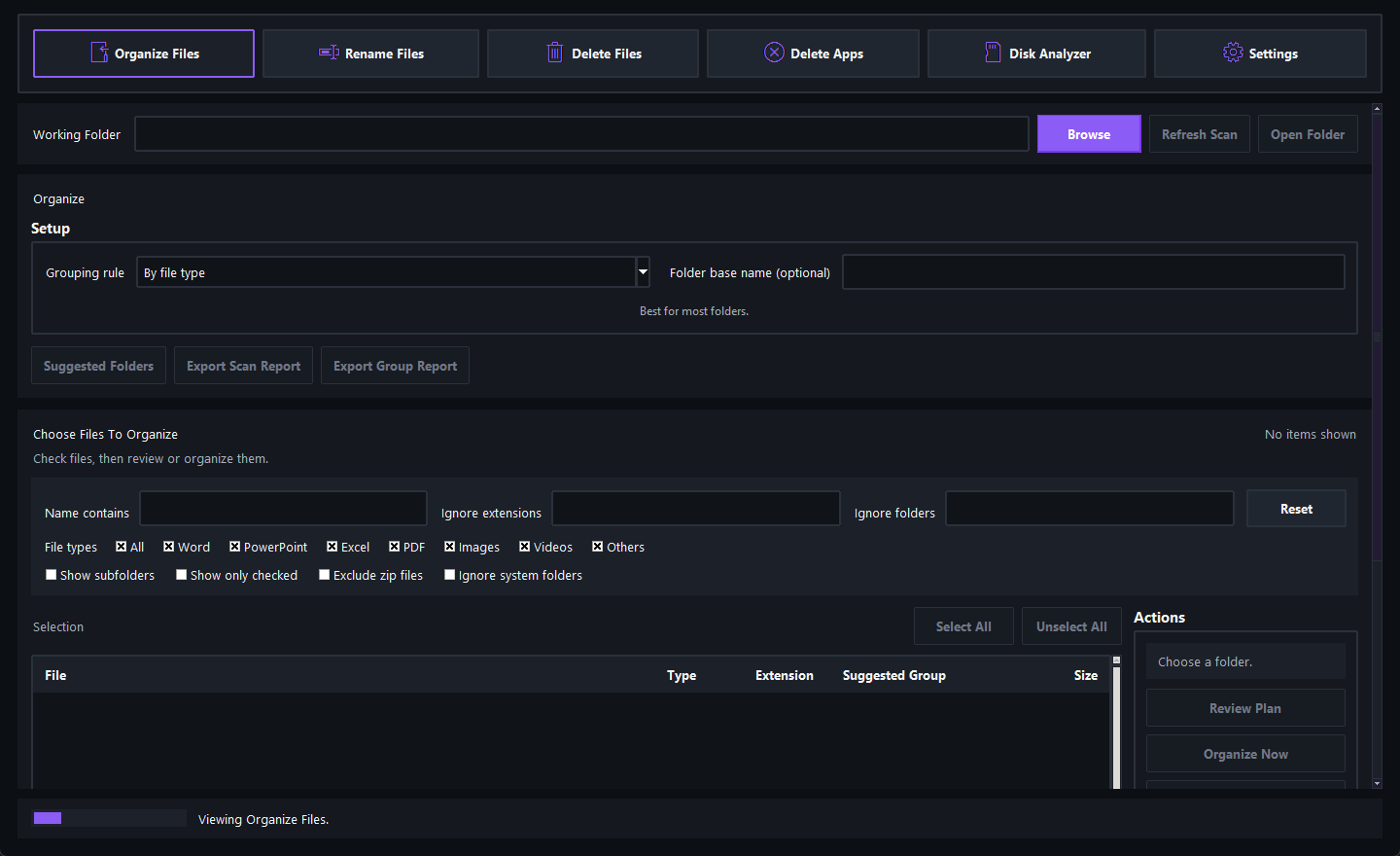
Organize Files
Organize Files view
Organize & Rename

Sort folders the smart way. Fix file names in seconds.

Point the app at any folder and let it scan the contents. Choose how to group them — by type, extension, naming pattern, or date — and move everything into place with a single click. Need cleaner file names? Select files, pick a rename style, and preview every change before applying.

  • Smart grouping with multiple modes
  • Full preview before any file is moved or renamed
  • Undo support for the last operation
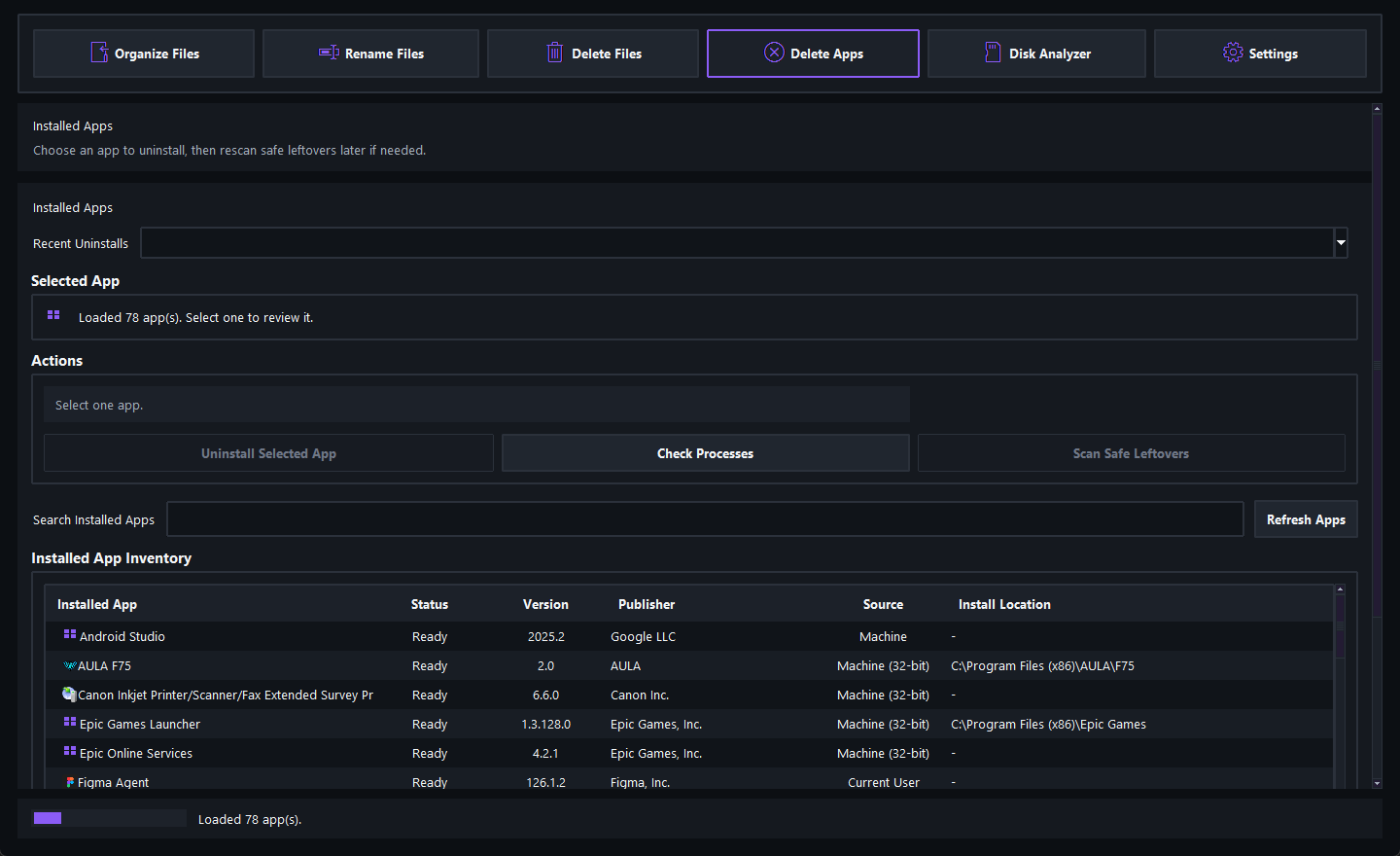
Delete Apps
Delete Apps view
Delete & Uninstall

Remove what you don't need — safely and completely.

Identify and remove unnecessary files without worrying about deleting something important. For applications, go beyond the standard uninstaller — find and clean leftover files, cache data, and remnants that quietly waste storage.

  • Duplicate detection using SHA-256 content hashing
  • Installed app inventory with version and publisher info
  • Leftover file scanning after uninstallation
Disk Analyzer
Disk Analyzer view
Disk Analyzer

See where your storage goes.

When your computer runs low on space, the question is always the same: where did it go? The disk analyzer scans your drives and gives you a clear, sorted breakdown of what is using your storage — so you can reclaim space with confidence instead of guessing.

  • Scan entire drives or specific directories
  • Results sorted by size, largest first
  • Identify forgotten files and bloated folders

Why I Built This

Everyone's computer gets messy. Downloads pile up with unreadable names. Duplicate files multiply silently. Uninstalled apps leave data behind. Storage fills up and no one knows why. These are small problems individually, but fixing them manually is tedious — the kind of work people avoid until their system becomes painful to use.

I built Smart File Organizer to bring all of these tasks into one place. Not a system optimizer with vague promises, but a practical tool that does exactly what it says: helps you manage your files. Every feature solves a real problem. Every action requires your confirmation. The interface shows you exactly what will happen before it happens.

This is a serious utility built with care — polished enough to publish and practical enough that real people benefit from it. I believe tools should respect the people who use them, especially when those tools work with important personal files.

01

Clarity Over Complexity

Every action is visible and understandable. No hidden operations, no surprises.

02

Safety First

Nothing is moved, renamed, or deleted without your explicit confirmation.

03

Built for Real Use

Every feature comes from a real problem. No bloat — just useful tools that work.

Download Smart File Organizer

Free to download and use. No account required, no subscription, no ads. Just install and start organizing.

Windows 10 / 11 Version 1.0.0 · 10.7 MB Free · No Account

Frequently Asked Questions

Yes, it is safe. The application never performs any action automatically. Every move, rename, and deletion requires your review and explicit confirmation first. It also includes undo support and handles locked files gracefully.

Smart File Organizer is built for Windows 10 and Windows 11. It is packaged as a standard Windows executable — no additional runtime or software is needed.

No. The app runs entirely on your local machine. It does not connect to the internet, does not collect data, and does not require an account or login.

Yes. Smart File Organizer is completely free. No hidden fees, subscriptions, trials, or premium tiers. You get the full application with all features.

The app uses SHA-256 content hashing to find files with identical contents, regardless of file name. Duplicate groups are shown for your review — the app never deletes duplicates automatically.